

C4 dynamic diagram
Show how the elements of a system collaborate, step by step, for one feature or scenario.
Diagram · origin tag c4/dynamic · The C4 Model
Availability
| Host | State | How to get it |
|---|---|---|
| Standalone | Prototype | Not yet released |
| Desktop | Prototype | Not yet released |
| IntelliJ Platform | Not planned | Not planned |
| Visual Studio Code | Not planned | Not planned |
| Eclipse | Not planned | Not planned |
| ThinkRail | Not planned | Not planned |
| Notion | Not planned | Not planned |
| Claude | Not planned | Not planned |
What it is for
Dynamic (supplementary)
Why a specialized view helps
C4 views are zoom levels of one model; a dedicated tool keeps each level consistent with the next instead of redrawing boxes by hand.
File formats
Not described yet.
Screenshots
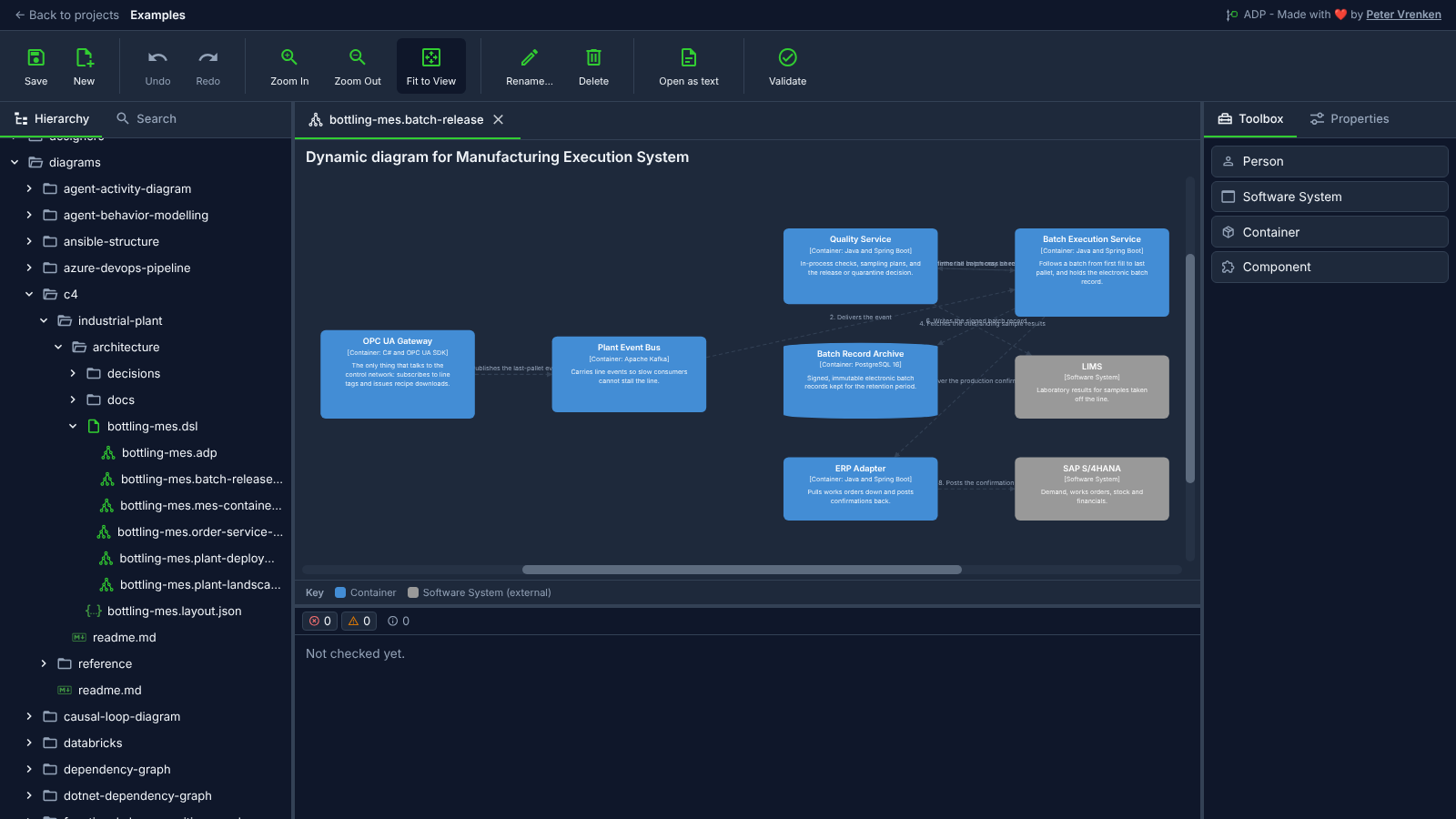
Standalone, at 5ac81b3
What is visible: The batch release scenario: the OPC UA Gateway, Plant Event Bus, Quality Service, Batch Execution Service, Batch Record Archive and ERP Adapter as containers, LIMS and SAP S/4HANA as external systems, joined by numbered interactions; the key along the bottom and Toolbox showing Person, Software System, Container and Component. Nothing selected.
Why it matters: One scenario, the release of a batch, is drawn as numbered interactions between the containers and external systems taking part, so the order of the calls reads from the same workspace as the static views.
Licence: Apache-2.0
Background
Focus areas
Sources
etalii-adp/etalii.adp.ide.standalone@9b232f0docs/tools.md, licence Apache-2.0etalii-adp/etalii.adp.ide.intellij@dc9c697docs/tools.md, licence Apache-2.0etalii-adp/etalii.adp.ide.vscode@ab93d8fdocs/tools.md, licence Apache-2.0etalii-adp/etalii.adp.ide.standalone@5ac81b3docs/screenshots/c4-dynamic.png, licence Apache-2.0- Notion, edited (page
3e7be2fd-05b6-8145-8ccb-c06595eebadf), licence Apache-2.0
