

Markdown editor
Aims to make markdown quick to write and easy to read, by editing the text with a live preview beside it.
Editor · origin tag editor/markdown · Editors
Availability
| Host | State | How to get it |
|---|---|---|
| Standalone | Available | Install from v0.1.3826-alpha |
| Desktop | Not planned | Not planned |
| IntelliJ Platform | Not planned | Not planned |
| Visual Studio Code | Not planned | Not planned |
| Eclipse | Not planned | Not planned |
| ThinkRail | Not planned | Not planned |
| Notion | Not planned | Not planned |
| Claude | Not planned | Not planned |
What it is for
Markdown editor (`.md` and `.markdown` files; the text itself is the document, edited in place with a rendered preview beside it, and written back with its encoding, line endings and final newline unchanged)
Why a specialized view helps
Markdown is read rendered but written as text; an editor that keeps both in view avoids switching between a text tab and a preview.
File formats
| Extension | Format | Reads | Writes |
|---|---|---|---|
.md | .md | Yes | Yes |
Screenshots
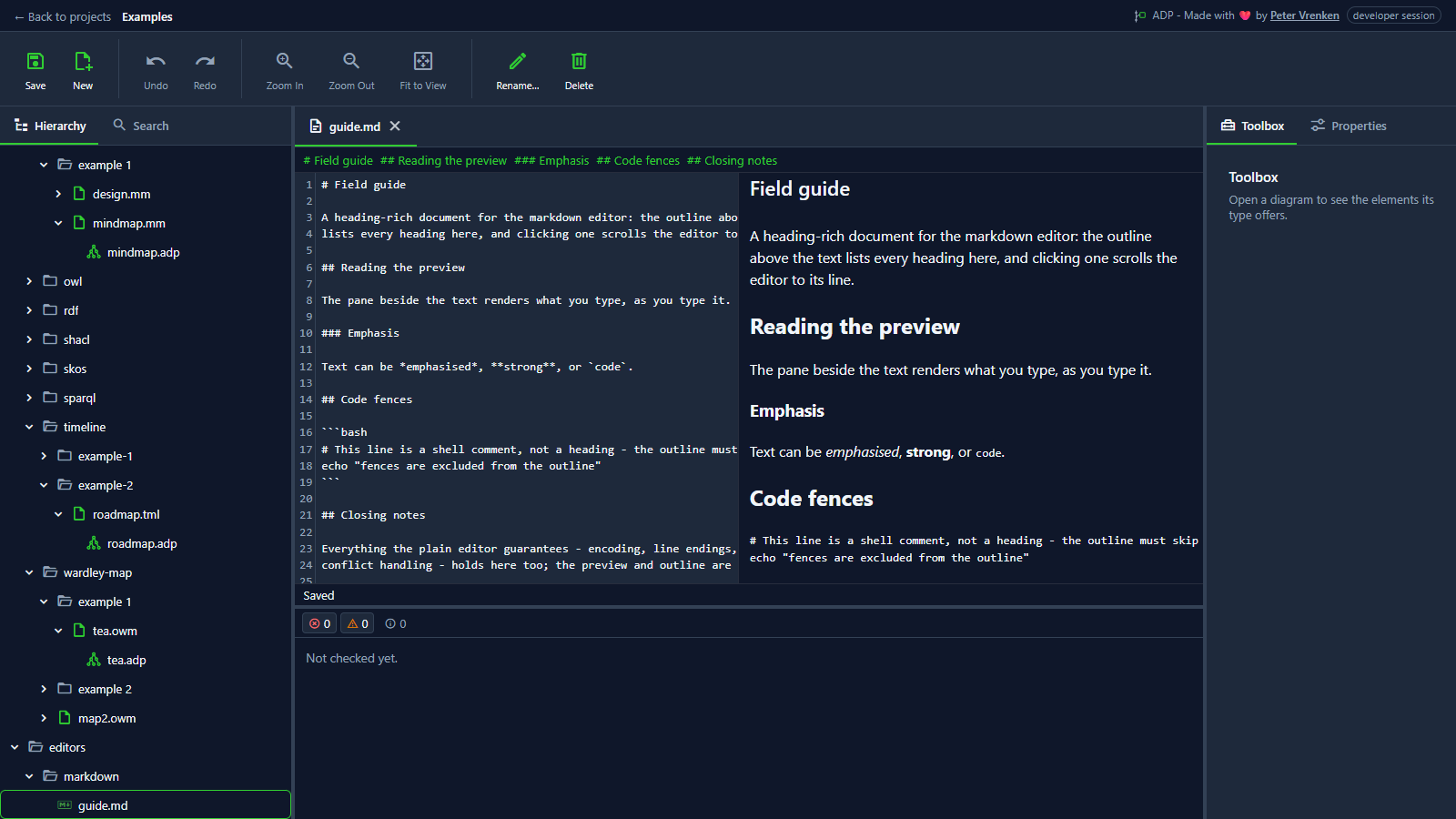
Standalone, at 9ebcbf4
What is visible: The three-part editor: heading outline above, CodeMirror text left, rendered preview right — and the status line reading **Saved**, since nothing was edited.
Why it matters: A markdown file opens with its heading outline above, the text on the left and the rendered page on the right, so a document is written and checked in the same place as the diagrams beside it.
Licence: Apache-2.0
Background
Focus areas
Sources
etalii-adp/etalii.adp.ide.standalone@9b232f0docs/tools.md, licence Apache-2.0etalii-adp/etalii.adp.ide.intellij@dc9c697docs/tools.md, licence Apache-2.0etalii-adp/etalii.adp.ide.vscode@ab93d8fdocs/tools.md, licence Apache-2.0etalii-adp/etalii.adp.ide.standalone@9ebcbf4docs/screenshots/markdown-editor.png, licence Apache-2.0- Notion, edited (page
3e9be2fd-05b6-81cb-8588-dc23273ac107), licence Apache-2.0
