

YAML editor
YAML's own mistakes marked, with findings, completion and hover from the JSON Schema each document names
Editor · origin tag editor/yaml · Editors
Availability
| Host | State | How to get it |
|---|---|---|
| Standalone | Available | Install from v0.1.3826-alpha |
| Desktop | Not planned | Not planned |
| IntelliJ Platform | Not planned | Not planned |
| Visual Studio Code | Not planned | Not planned |
| Eclipse | Not planned | Not planned |
| ThinkRail | Not planned | Not planned |
| Notion | Not planned | Not planned |
| Claude | Not planned | Not planned |
What it is for
Not described yet.
Why a specialized view helps
Not described yet.
File formats
Not described yet.
Screenshots
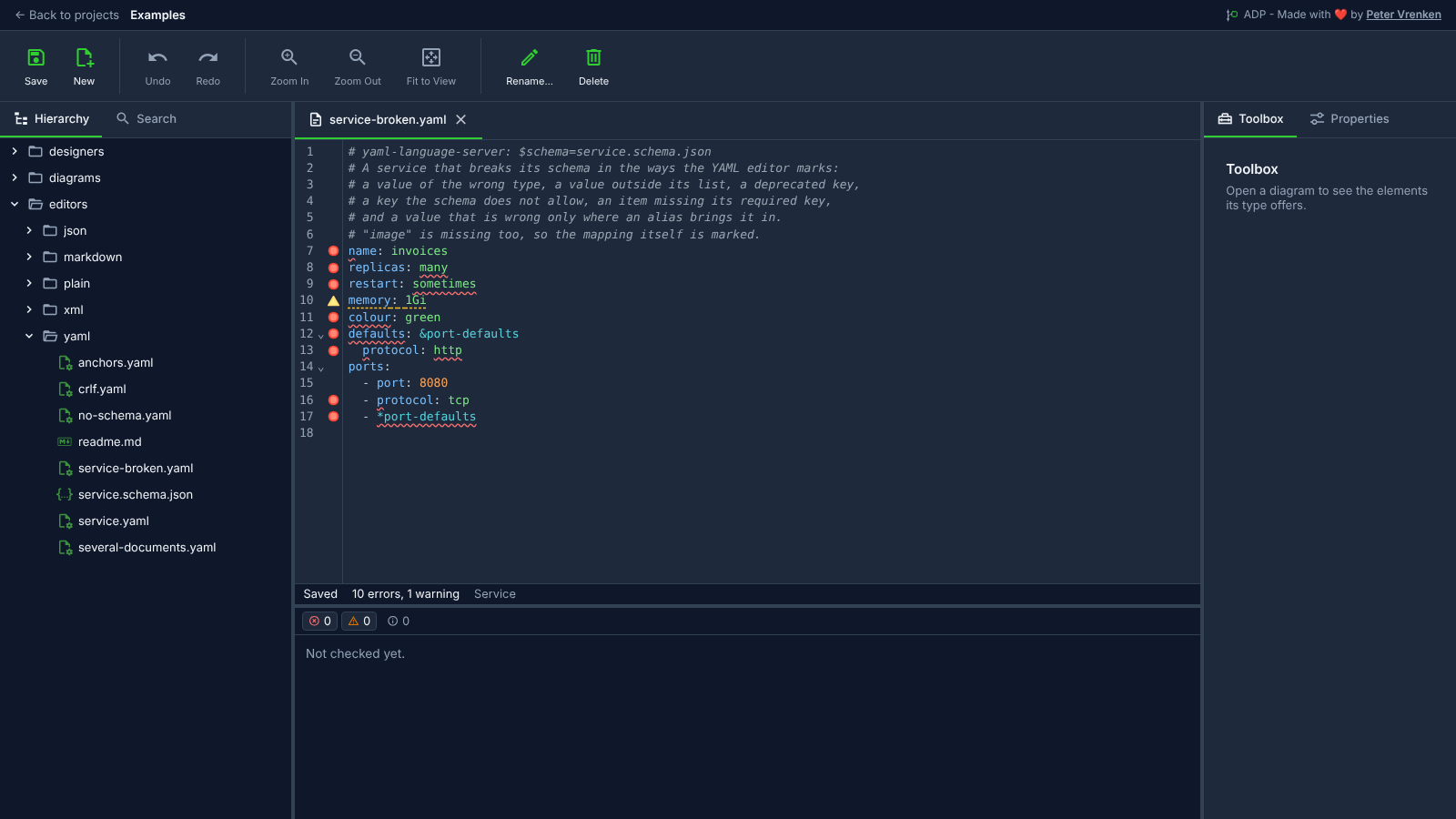
Standalone, at 008f6f0
What is visible: The YAML editor on a document that breaks the JSON Schema its first line names: keys and values coloured, a red marker in the gutter on each line the schema rejects and the yellow warning on the deprecated `memory`, wavy underlines under the offending keys and values, including the value an alias brings in, and the status line reading **Saved**, **10 errors, 1 warning** and the schema's title *Service*.
Why it matters: A YAML file is checked against the JSON Schema its first line names while it is typed, including values an alias brings in, so a wrong type, an unknown key or a deprecated setting is marked on its line before deployment.
Licence: Apache-2.0
Background
Focus areas
Not in a focus area yet.
Sources
etalii-adp/etalii.adp.ide.standalone@9b232f0docs/tools.md, licence Apache-2.0etalii-adp/etalii.adp.ide.intellij@dc9c697docs/tools.md, licence Apache-2.0etalii-adp/etalii.adp.ide.vscode@ab93d8fdocs/tools.md, licence Apache-2.0etalii-adp/etalii.adp.ide.standalone@008f6f0docs/screenshots/yaml-editor.png, licence Apache-2.0- Notion, edited (page
3f9be2fd-05b6-815a-9783-c72541086c86), licence Apache-2.0
