

Agent Behavior Modelling
Make a chat agent's instructions explicit as a behavior tree: what it does in order, what it tries, where it asks first and when it stops.
Diagram · origin tag etalii/agent-behavior-modelling · Business process & workflow notation
Availability
| Host | State | How to get it |
|---|---|---|
| Standalone | Prototype | Not yet released |
| Desktop | Prototype | Not yet released |
| IntelliJ Platform | Not planned | Not planned |
| Visual Studio Code | Prototype | Not yet released |
| Eclipse | Not planned | Not planned |
| ThinkRail | Not planned | Not planned |
| Notion | Not planned | Not planned |
| Claude | Not planned | Not planned |
What it is for
Agent Behavior Modelling uses Behavior Tree modelling to facilitate the creation of agent behavior descriptions. In stark contrast with text-only behavior modelling, diagram based Agent Behavior Modelling facilitates consistent definition and refinement of agent behavior.
Why a specialized view helps
Prose instructions hide their control flow; a behavior tree makes order, alternatives, loops and approval gates visible and checkable, while the Markdown file the agent reads stays plain text.
File formats
| Extension | Format | Reads | Writes |
|---|---|---|---|
.md | .md | Yes | Yes |
Screenshots
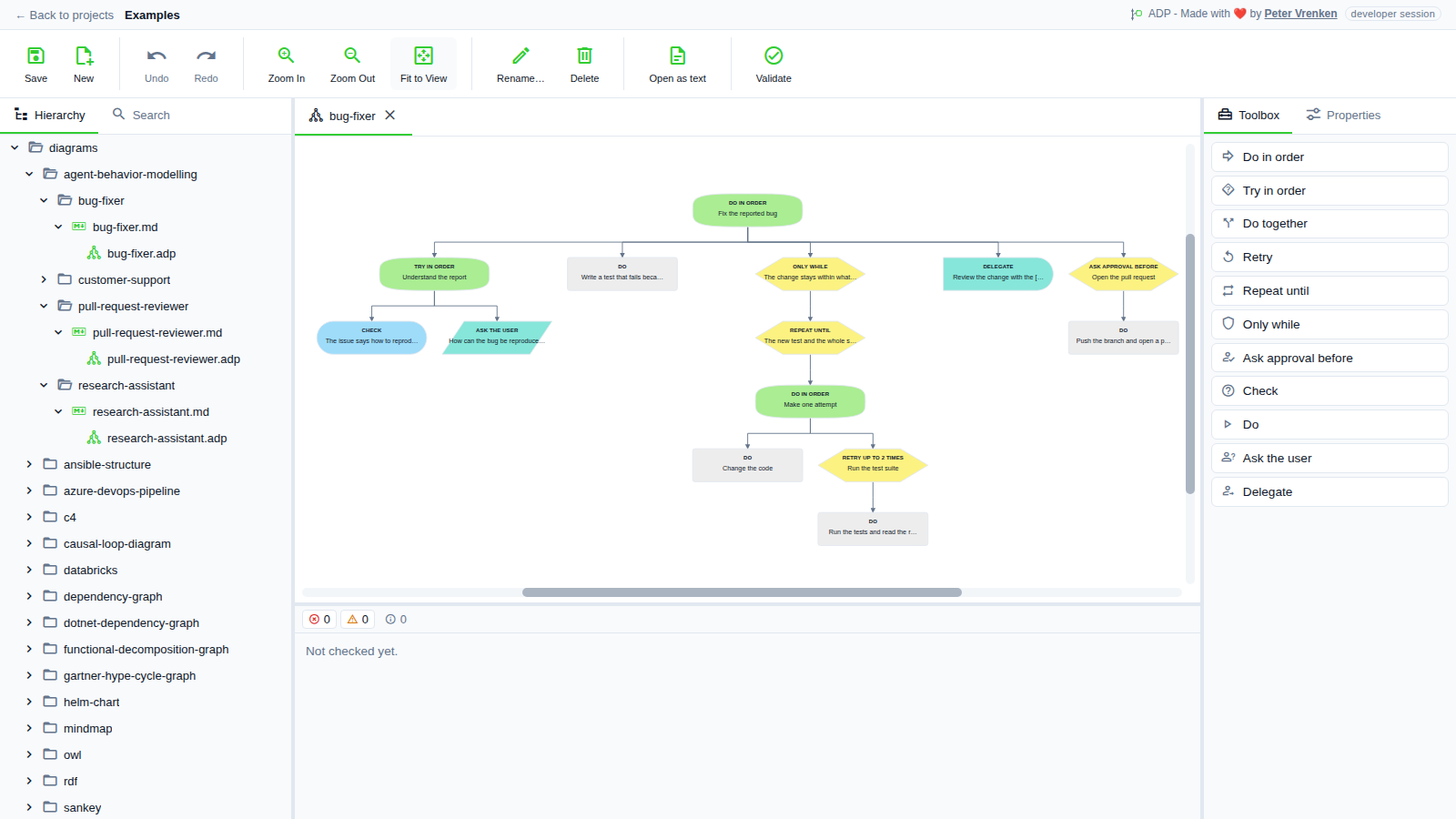
Standalone, at 2bf65f1
What is visible: In the light theme: the bug fixer's tree with its Only while, Repeat until, Retry up to 2 times and Ask approval before wrappers, a Delegate and an Ask the user leaf. Nothing selected.
Why it matters: The guards an agent works under, Only while, Repeat until, Retry and Ask approval before, each wrap the steps they govern, so where the agent may loop and where it must stop and ask is checkable at a glance, here in the light theme.
Licence: Apache-2.0
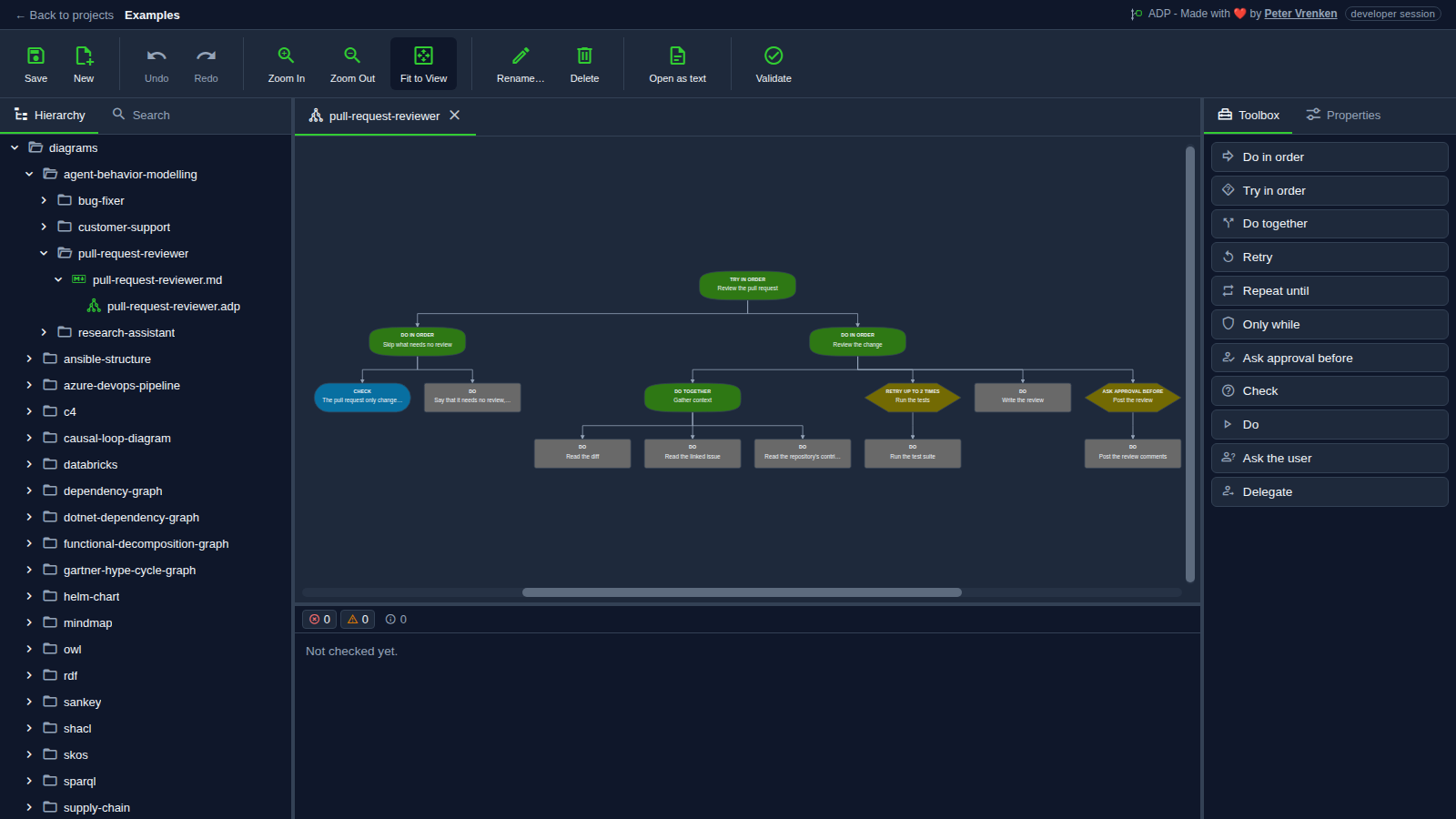
Standalone, at 2bf65f1
What is visible: The reviewer's behavior tree top-down: Try in order at the root, Do in order and Do together composites, the Retry up to 2 times and Ask approval before wrappers, and the Check and Do leaves, each labelled with its kind; Toolbox showing the eleven kinds. Nothing selected.
Why it matters: A reviewer's instructions read as a tree: what it tries first, what it gathers together, how often it retries the tests and that it asks before posting, which prose instructions leave implicit while the Markdown file the agent reads stays plain text.
Licence: Apache-2.0
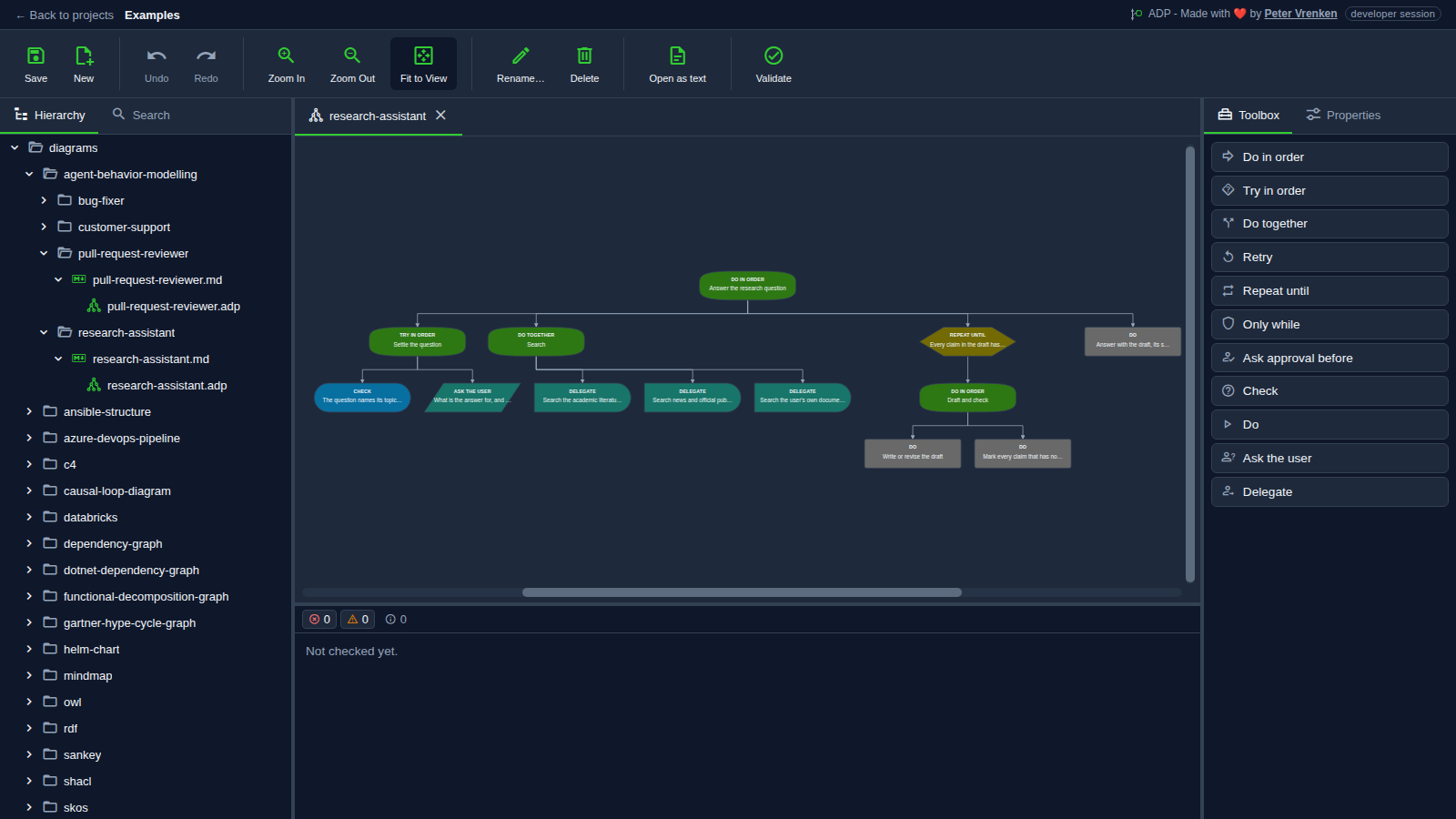
Standalone, at c400088
What is visible: The research assistant's tree: Ask the user while settling the question, three Delegate leaves under Do together, and a Repeat until around drafting and checking. Nothing selected.
Why it matters: The searches the assistant delegates side by side and the draft-and-check loop it repeats until every claim has a source stand out as shapes, so a reader sees the agent's control flow rather than reconstructing it from paragraphs.
Licence: Apache-2.0
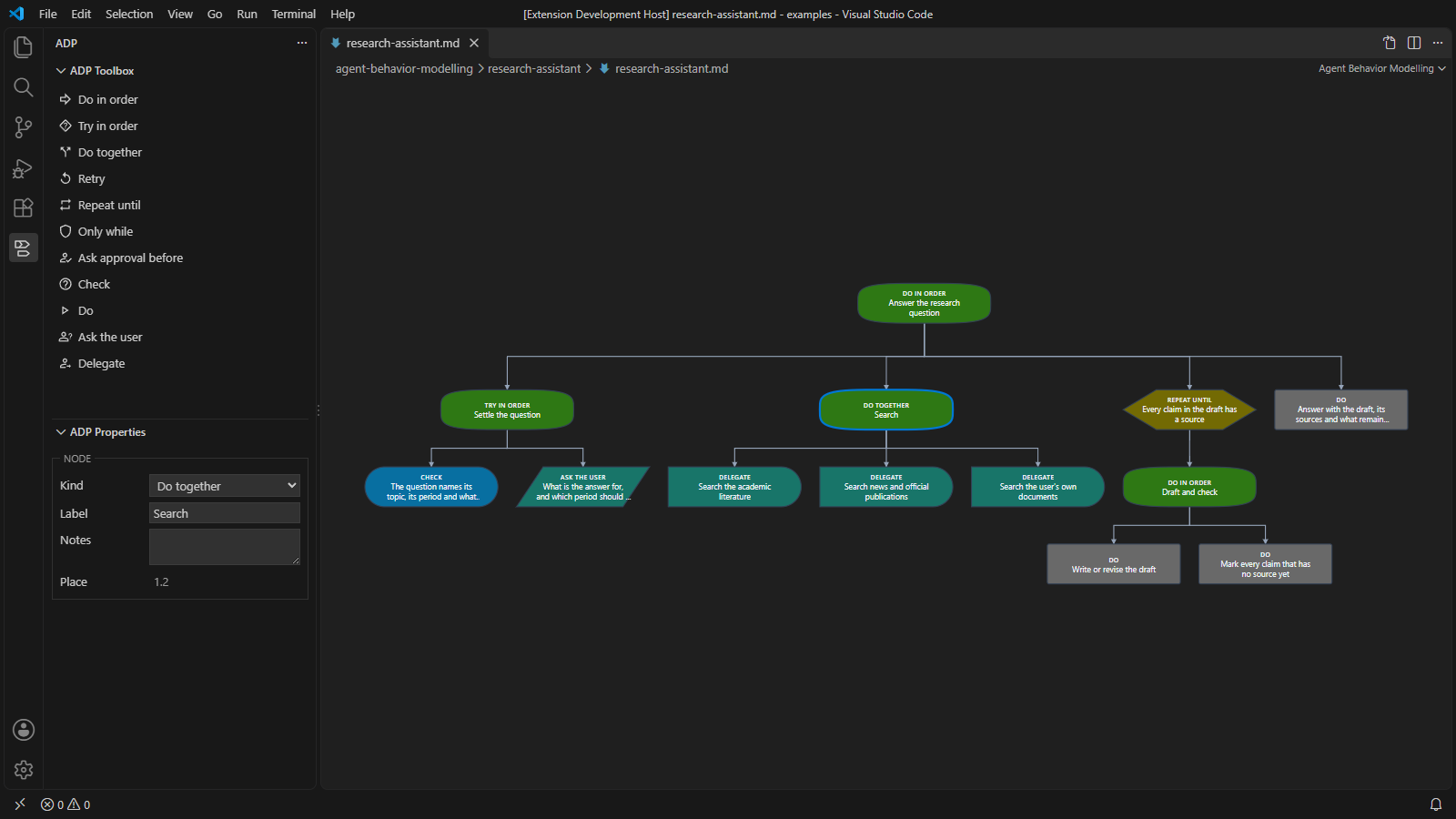
Visual Studio Code, at d597565
What is visible: The research assistant's behavior tree centred in its tab, each node in the shape and colour of its kind with its keyword above its label, parents joined to children by elbowed arrows; ADP Toolbox listing the behavior kinds; the Do together node selected, with its properties in ADP Properties.
Why it matters: An agent's Markdown instructions open as a behavior tree inside VS Code, with the ADP Toolbox offering every kind of step and ADP Properties showing the selected node, so the behavior can be read and changed beside the code the agent works on.
Licence: Apache-2.0
Background
Focus areas
Sources
etalii-adp/etalii.adp.ide.standalone@9b232f0docs/tools.md, licence Apache-2.0etalii-adp/etalii.adp.ide.intellij@dc9c697docs/tools.md, licence Apache-2.0etalii-adp/etalii.adp.ide.vscode@ab93d8fdocs/tools.md, licence Apache-2.0etalii-adp/etalii.adp.ide.standalone@2bf65f1docs/screenshots/agent-behavior-modelling-bug-fixer-light.png, licence Apache-2.0etalii-adp/etalii.adp.ide.standalone@2bf65f1docs/screenshots/agent-behavior-modelling-pull-request-reviewer.png, licence Apache-2.0etalii-adp/etalii.adp.ide.standalone@c400088docs/screenshots/agent-behavior-modelling-research-assistant.png, licence Apache-2.0etalii-adp/etalii.adp.ide.vscode@d597565docs/screenshots/agent-behavior-modelling.png, licence Apache-2.0- Notion, edited (page
3efbe2fd-05b6-813b-85fb-cda285dde9f0), licence Apache-2.0


