

Mind map
Lay out ideas as a tree of branches around one central topic, in the FreeMind/Freeplane format.
Diagram · origin tag freeplane/mindmap · Knowledge & informal modeling
Availability
| Host | State | How to get it |
|---|---|---|
| Standalone | Prototype | Not yet released |
| Desktop | Prototype | Not yet released |
| IntelliJ Platform (called FreeMind mind map (radial/hierarchical, single central topic; FreeMind and Freeplane .mm files) here) | Not yet released | Not yet released |
| Visual Studio Code | Prototype | Not yet released |
| Eclipse | Not planned | Not planned |
| ThinkRail | Not planned | Not planned |
| Notion | Not planned | Not planned |
| Claude | Not planned | Not planned |
What it is for
Mind map (radial/hierarchical, single central topic)
Why a specialized view helps
A mind map's value is its radial hierarchy; a dedicated tool keeps branches ordered and foldable while the .mm file stays readable by Freeplane.
File formats
| Extension | Format | Reads | Writes |
|---|---|---|---|
.mm | .mm | Yes | Yes |
Screenshots
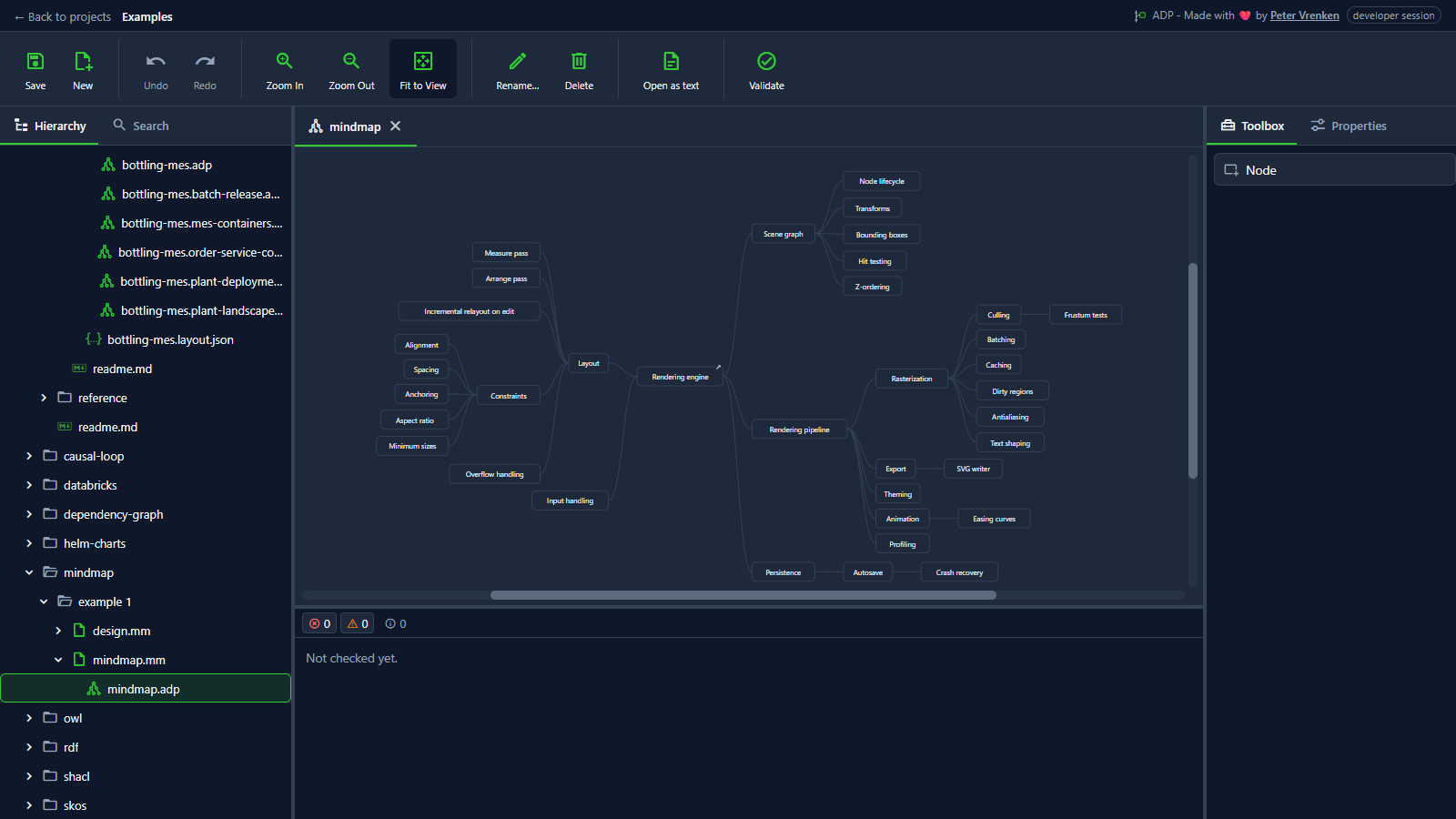
Standalone, at a8616b3
What is visible: The mindmap laid out left-to-right in its tab; Toolbox showing the Node entry. Nothing selected.
Why it matters: A large Freeplane map stays readable because the diagram lays the branches out as a tree around the central topic, while the .mm file keeps working in Freeplane.
Licence: Apache-2.0
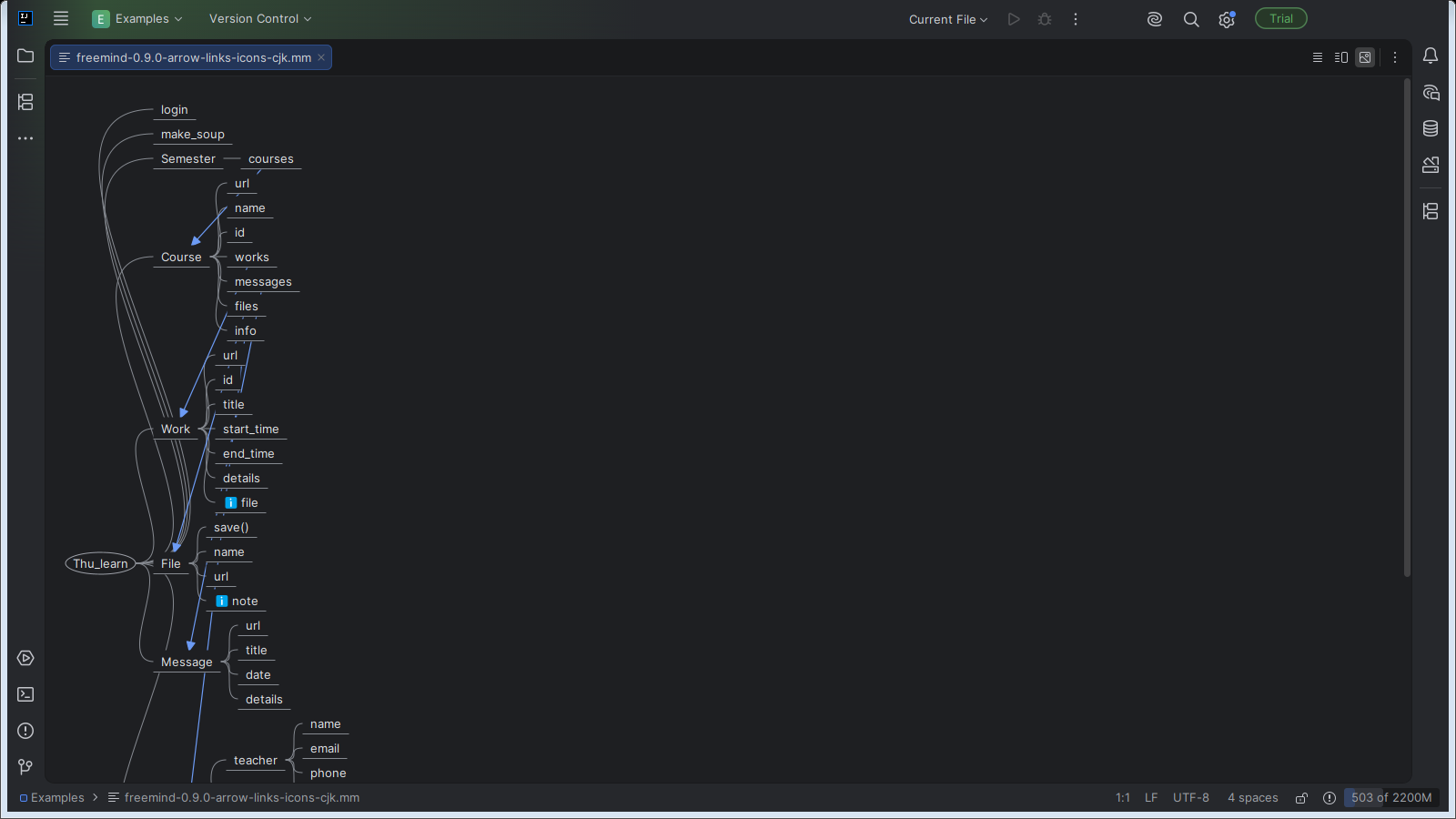
IntelliJ Platform, at b562c7f
What is visible: The FreeMind Mind map in its tab: the root `Thu_learn` on the left with its branches laid out to the right, the blue arrow links between nodes drawn, and the info icons on `file` and `note`. The map is taller than the window, so its lower branches run off the bottom. Nothing selected.
Why it matters: The same FreeMind file opens as a mind map inside IntelliJ, laid out as a tree around its central topic, so a map can be read and edited next to the code it belongs to.
Licence: Apache-2.0
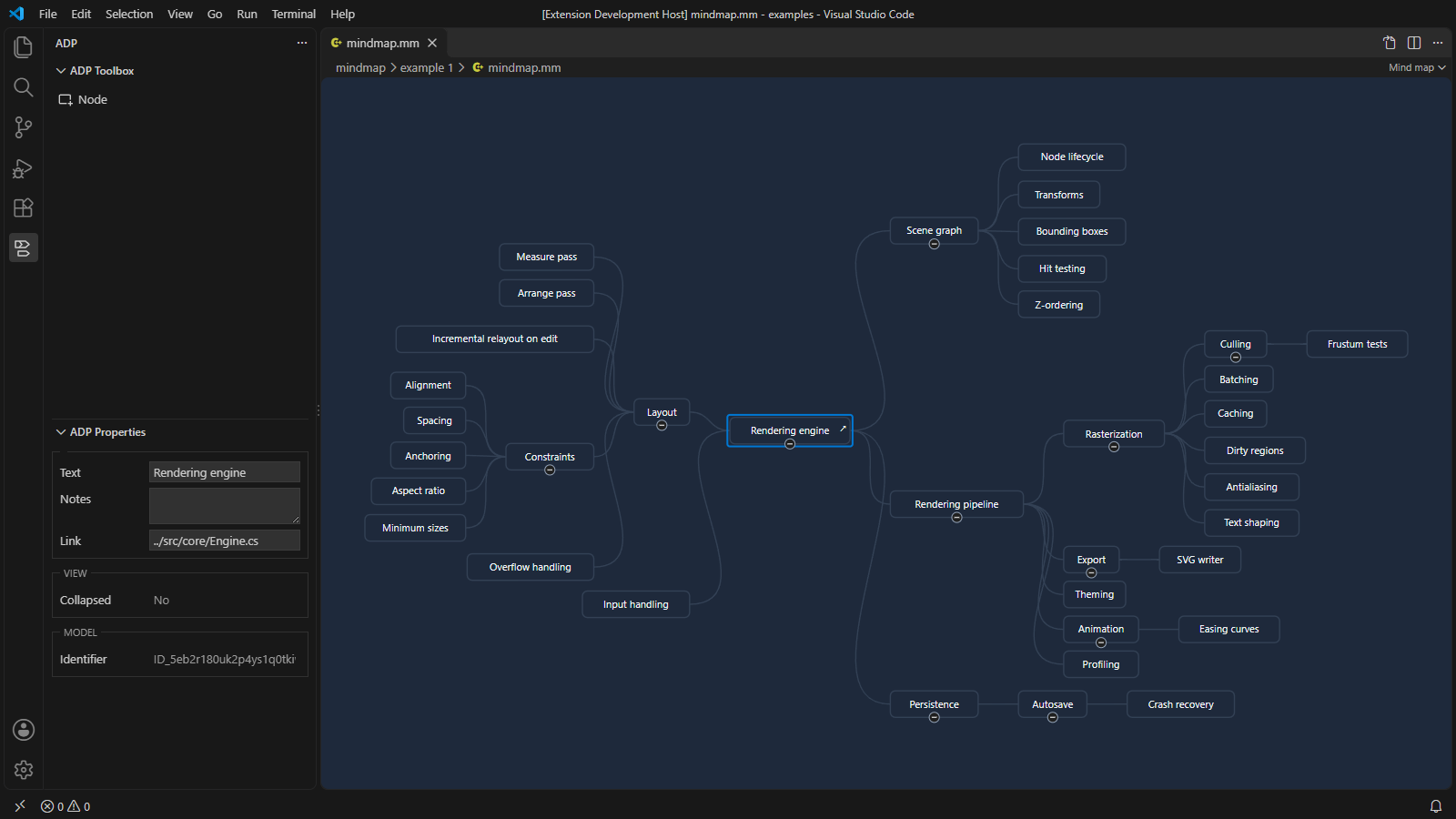
Visual Studio Code, at 683d9b0
What is visible: The rendering engine map centred in its tab, the root in the middle with its branches laid out to both sides and joined by curved lines, each parent with its fold button; ADP Toolbox showing Node; the node nearest the middle (the root, Rendering engine) selected, with its text, notes and link in ADP Properties.
Why it matters: A FreeMind map opens inside VS Code with its root in the middle and its branches to both sides, and the selected node's text, notes and link in ADP Properties, so a map kept beside the code is read and edited without leaving the editor.
Licence: Apache-2.0
Background
Focus areas
Sources
etalii-adp/etalii.adp.ide.standalone@9b232f0docs/tools.md, licence Apache-2.0etalii-adp/etalii.adp.ide.intellij@dc9c697docs/tools.md, licence Apache-2.0etalii-adp/etalii.adp.ide.vscode@ab93d8fdocs/tools.md, licence Apache-2.0etalii-adp/etalii.adp.ide.standalone@a8616b3docs/screenshots/mindmap.png, licence Apache-2.0etalii-adp/etalii.adp.ide.intellij@b562c7fdocs/screenshots/mindmap.png, licence Apache-2.0etalii-adp/etalii.adp.ide.vscode@683d9b0docs/screenshots/mindmap.png, licence Apache-2.0- Notion, edited (page
3e7be2fd-05b6-81ec-8566-d59cecae456f), licence Apache-2.0


